

Free Online Video Downloader
Download YouTube videos with SaveFrom.online
SaveFrom.online saves YouTube videos and songs for you. Copy a link or search by name, choose the result you want and open the download panel. Everything runs in the browser on a computer, tablet or phone. There is no account to create and no program to install.
Paste the address of a regular video, a Short or a YouTube Music track. If you do not have the link, type a few words from the title and pick the right result from the list. Each result shows its thumbnail, channel and length so you can check it before downloading.
Download high quality MP4 videos
A saved file gives you more control than streaming. The downloader keeps the quality of the source, so an MP4 made from a 1080p upload stays at 1080p. When the creator provides 4K, that option can appear too.
Saved videos are useful on a flight, in places with a weak connection or when you want to watch something again without loading it from the start. The file stays on your device and plays in any normal video player.
How to use this YouTube downloader
- 1
Copy the YouTube link
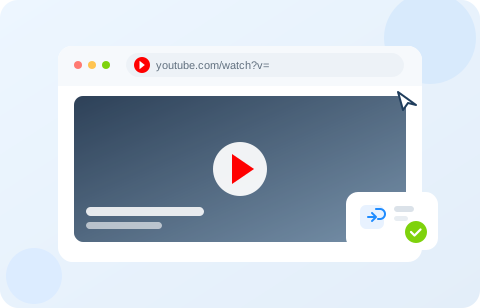
Open the video, Short or track on YouTube and copy its address. The Share button gives you the same link. You do not need to change it or add anything to it.
- 2
Paste it into the search field
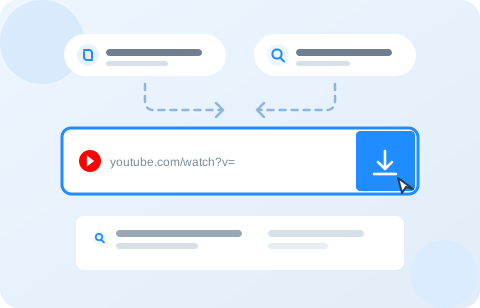
Paste the complete link into the field at the top of this page and press the search button. Keep the address exactly as YouTube gives it, with no prefix added. If you do not have the link, type the video name and choose it from the suggestions.
- 3
Choose play or download
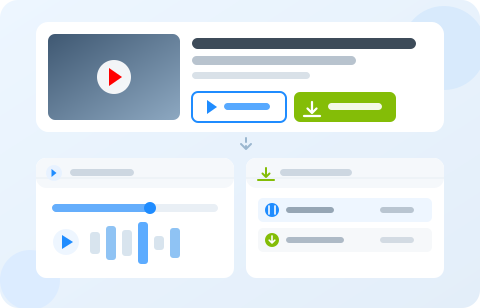
On the result, press Play audio to open the player under the video, or Download to open the format list. Press the same button again to close that panel. The two buttons work separately.
Download from SD to crisp 4K
Get the best quality the source can offer. The list can include standard definition, HD, Full HD and 4K. The file is taken from the original video, so a 1080p upload arrives as a 1080p file.
Smaller files are still available when you need to save space or your connection is slow. Pick the size that fits your device and the way you plan to watch.
Download videos in any browser
The site works in Chrome, Firefox, Safari, Edge and other modern browsers. There is nothing to add to your browser and no extension is required. The same page works on Android, iPhone, iPad and desktop.
Results and panels adapt to the screen, so the buttons stay reachable on a phone and the video list stays readable on a large monitor.
Frequently asked questions
Can I download YouTube videos without an account?
Yes. Paste a YouTube link or search for a video by name, then open the download panel on the result. There is no sign-up step and no software to install. The whole process runs in your browser.
Which YouTube links does the site accept?
Regular watch links, youtu.be short links, YouTube Shorts, live links, embed links and music.youtube.com links all work. You can paste the address exactly as it appears in your browser.
What can I do if the search does not find a video?
Try a shorter phrase or the channel name. If you already have the link, paste it into the same field. Private videos, age restricted videos and videos removed by the uploader cannot be processed.
What quality will the file have?
The download panel lists the formats the source provides. When the uploader published a video in 1080p or 4K, that option usually appears in the list. The final quality depends on the video, not on this site.
Can I listen without downloading a file?
Yes. Every result has a play button that opens the audio player under the video. Press it again to close the player. The download button works separately, so you can use one without the other.
Is it allowed to download any video?
Download only videos you own, videos published under a licence that permits reuse, or content you have permission to save. Copyright rules and the platform terms still apply.